

OK, so you have mastered your LinkedIn/Facebook/ X (Twitter) etc. accounts – you want to post an image – because that’s so much nicer, but can’t find the size it’s supposed to be… look no further!
- Here is a link to social media images cheat sheet for the main channels by Hootsuite
- Sprout Social are also kept up-to-date
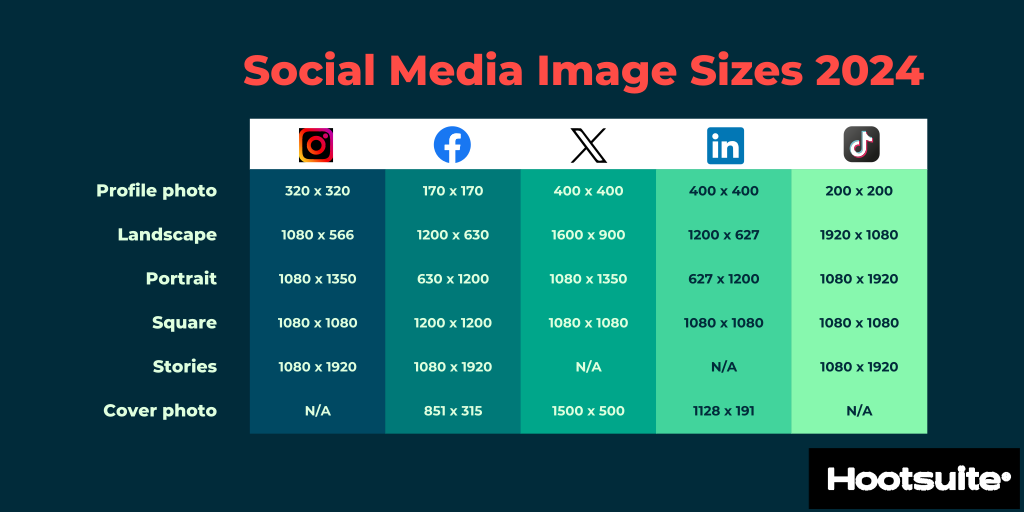
Note: if you can’t be bothered to make up different-sized images (you can use online image resizers such as Canva or Pablo) – try these defaults of and don’t put anything important near the edges!
- Horizontal (landscape) – 1200 x 675
- Any square – 1080 x 1080